








Designing a home for the first time is both exciting and intimidating. Whether you’re moving into your first apartment, buying your first house, or finally turning long-held ideas into action, the process often raises more questions than answers. How should rooms be laid out? What furniture actually fits? Will the colors look right together? And how do you know if your ideas will work in real life?
For beginners, the biggest challenge isn’t creativity, it’s visualization. Many people know what they like, but struggle to imagine how individual choices will come together in a real space. This is exactly where digital home design tools have changed the game.
Planner 5D makes it possible for first-time designers to turn ideas into realistic, well-planned interiors without professional training or expensive software. In this guide, we’ll walk through the entire process of designing your first home digitally step by step so you can move forward with clarity, confidence, and creativity.
Why First-Time Home Design Feels Overwhelming
Designing a home involves hundreds of decisions, from layout and storage to lighting and finishes. For beginners, this often leads to decision fatigue or hesitation.
Common concerns include:
- Choosing the wrong furniture size
- Poor layout flow
- Mismatched colors or materials
- Regretting design choices after purchase
Without the ability to see the full picture, it’s easy to second-guess every decision. Planner 5D reduces this uncertainty by allowing beginners to visualize their ideas before committing to them.
Step 1: Start with a Simple Floor Plan
Every home design begins with layout.
Keep It Simple
As a beginner, it’s best to focus on recreating your space accurately rather than experimenting with complex architectural changes. Planner 5D allows you to draw walls, add doors and windows, and input exact measurements with ease.
Understand How Space Is Used
Think about daily routines:
- Where do you enter the home?
- Where do you relax, work, and sleep?
- How do rooms connect?
A well-planned layout supports how you live, not just how the space looks.
Step 2: Switch to 3D for Immediate Clarity
One of the most empowering moments for beginners is seeing their space in 3D for the first time.

Walk Through Your Design
Planner 5D’s 3D mode lets you experience your home at eye level, helping you understand:
- Room proportions
- Furniture scale
- Ceiling height and openness
This instantly answers many of the “Will this work?” questions beginners often have.
Learn by Experimenting
There’s no penalty for trying something new. Move walls, rotate furniture, or change layouts freely — mistakes here cost nothing and teach a lot.
Step 3: Choose Furniture That Fits Your Space

Furniture selection is where many first-time designers feel stuck.
Focus on Scale First
Planner 5D helps beginners understand how much space furniture actually occupies. Placing a sofa or bed in 3D quickly reveals whether it overwhelms the room or fits comfortably.
Design for Movement
Ensure there’s enough space to walk, open doors, and use furniture comfortably. Digital design highlights tight areas that may not be obvious on paper.
Step 4: Explore Colors and Materials Without Risk

Color and material choices often feel intimidating to beginners — but they don’t have to be.
Test Before You Commit
Planner 5D allows you to try different wall colors, flooring options, and finishes instantly. This makes it easier to:
- Compare light vs. dark palettes
- See how colors interact with lighting
- Maintain consistency across rooms
Start Neutral, Then Build
Many first-time designers benefit from starting with neutral tones and adding personality through furniture and décor. Digital previews make this strategy easy to test.
Step 5: Learn the Impact of Lighting

Lighting is one of the most underestimated elements in home design — especially for beginners.
Understand Lighting Layers
With Planner 5D, users can experiment with:
- Ambient lighting for overall brightness
- Task lighting for work areas
- Accent lighting for atmosphere
Day and Night Perspectives
Switching between lighting modes helps beginners see how their home will feel throughout the day, not just in daylight conditions.
Step 6: Add Personality with Décor
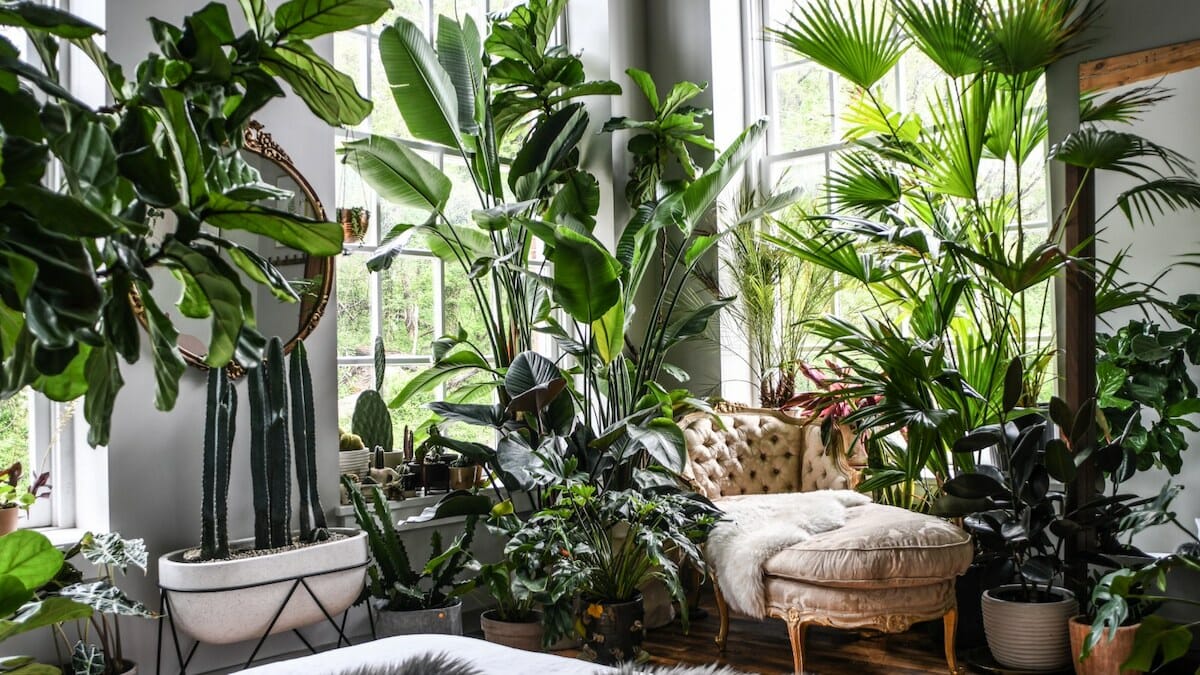
Décor is where a home becomes personal.
Keep It Balanced
Planner 5D helps beginners avoid over-decorating by showing how accessories impact the overall space. Rugs, artwork, mirrors, and plants can be added gradually and adjusted easily.
Experiment with Style
This is the perfect stage to explore different design aesthetics — modern, minimalist, cozy, or eclectic — without committing financially.
Step 7: Review, Refine, and Build Confidence
One of the biggest advantages of digital design for beginners is the ability to revisit decisions.
Refine at Your Own Pace
Planner 5D allows you to:
- Save progress
- Create multiple versions
- Compare design options
This flexibility removes pressure and encourages learning through exploration.
Gain Decision Confidence
By the time you’re ready to purchase furniture or start decorating, you’ll already know what works — and what doesn’t — in your space.
Common Beginner Mistakes (and How to Avoid Them)
Digital design helps first-time users avoid frequent pitfalls, such as:
- Buying oversized furniture
- Ignoring walkways and clearances
- Choosing colors without testing
- Decorating before planning layout
Seeing everything together prevents these mistakes before they happen.
Who Is Planner 5D Best For?
Planner 5D is ideal for:
- First-time homeowners
- Renters decorating their first space
- Students and young professionals
- Anyone curious about interior design
Its intuitive interface removes technical barriers, making home design approachable for complete beginners.
From First Idea to Finished Space
Designing your first home doesn’t require expert knowledge — it requires clarity, experimentation, and the right tools. Planner 5D gives beginners the freedom to explore ideas visually, learn through doing, and make decisions with confidence.
Instead of guessing how something might look, you can see it — clearly and realistically — before making it real.
Final Thoughts
Everyone starts somewhere. With Planner 5D, that starting point becomes less intimidating and far more inspiring. By turning ideas into visual experiences, beginners gain confidence, creativity, and control over their home design journey.
Your first home doesn’t have to be perfect it just has to feel right. And with digital planning, you’ll know when it does.