







Designing a home has always been a deeply personal journey. It’s where creativity meets functionality, where everyday routines intersect with long-term aspirations. Yet for many homeowners, renters, and design enthusiasts, the process can feel overwhelming. From imagining layouts to choosing finishes and furniture, translating ideas into reality often requires professional tools or costly consultations.
That’s where digital home design platforms come in — and why Planner 5D has become a trusted solution for millions of users worldwide. With an intuitive interface, realistic 3D visuals, and powerful customization features, Planner 5D allows anyone to design, refine, and visualize their dream space before making real-world decisions.
In this comprehensive guide, we’ll walk you step by step through the process of designing your dream home digitally using Planner 5D — from the first sketch to final styling touches — helping you move forward with confidence, clarity, and creativity.
Why Digital Home Design Is the New Standard
Before diving into the how-to, it’s worth understanding why digital design tools are now essential for modern home planning.
Traditional design methods rely heavily on floor plans, sketches, and imagination. While effective, they leave room for misinterpretation. Digital platforms bridge that gap by offering immersive visual experiences that let you see your ideas come to life instantly.
With Planner 5D, users benefit from:
- Real-time 2D and 3D visualization
- Accurate room proportions and scaling
- A vast catalog of furniture and décor
- The ability to experiment freely without risk
Whether you’re remodeling a single room or planning an entire house, digital design empowers better decisions and minimizes costly mistakes.
Step 1: Start with Your Floor Plan

Every great home design begins with a strong foundation — the floor plan.
Creating a New Project
Once you open Planner 5D, you can start from scratch or select a pre-made layout that matches your space. This flexibility makes the platform equally suitable for homeowners designing new builds and renters working within existing dimensions.
Setting Accurate Measurements
Inputting precise measurements ensures realistic results. Walls, doors, and windows can be adjusted to exact dimensions, helping you understand how furniture and fixtures will fit in the real world.
Defining Zones
As you draw walls and rooms, think about how spaces connect:
- Where does natural light enter?
- How will people move between rooms?
- Which areas need privacy versus openness?
This step is about functionality as much as aesthetics.
Step 2: Switch to 3D to Visualize Your Space
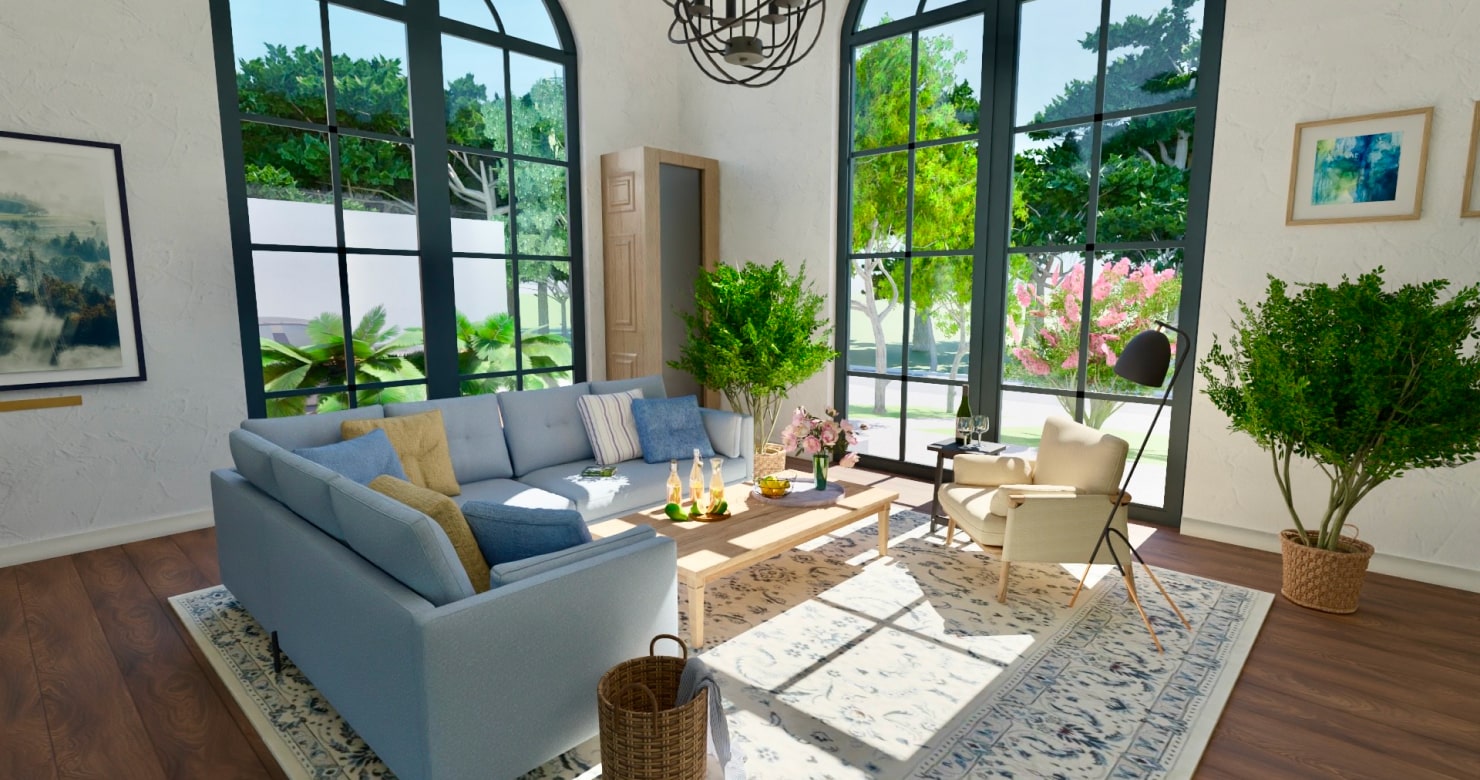
One of Planner 5D’s most powerful features is its seamless transition from 2D planning to 3D visualization.
Walk Through Your Home Virtually
With a single click, you can explore your design in 3D, experiencing it from eye level. This virtual walkthrough helps identify:
- Awkward spacing
- Tight walkways
- Oversized or undersized furniture
Adjust in Real Time
Colors, textures, layouts, and furniture placement can be adjusted instantly, allowing you to test ideas without committing to them.
Seeing your home in 3D transforms abstract ideas into tangible realities.
Step 3: Customize Walls, Floors, and Finishes

Once the structure is in place, it’s time to define the character of your home.
Choosing Wall Colors and Textures
From crisp whites to bold accent walls, Planner 5D offers a wide selection of paints and textures. You can test combinations that reflect:
- Natural light conditions
- Room size and ceiling height
- Desired mood and atmosphere
Flooring Matters
Flooring choices influence the entire design. Try hardwood, tile, laminate, or carpet to see how each option changes the feel of the space.
By experimenting digitally, you avoid costly material mismatches later.
Step 4: Furnish with Purpose and Style

Furniture selection is where design becomes personal.
Explore the Furniture Library
Planner 5D’s extensive catalog includes:
- Sofas, beds, tables, and storage
- Kitchen and bathroom fixtures
- Lighting and accessories
Each item is scalable and adjustable, allowing precise placement.
Focus on Flow and Comfort
Digital design makes it easy to test layouts that balance aesthetics with comfort. Ensure:
- Clear walkways
- Comfortable seating arrangements
- Functional storage solutions
Good design supports everyday living, not just visual appeal.
Step 5: Add Lighting for Atmosphere and Function

Lighting can completely transform a space.
Layer Your Lighting
Use a combination of:
- Ambient lighting for overall illumination
- Task lighting for functionality
- Accent lighting for mood and highlights
Planner 5D allows you to preview how lighting interacts with colors, textures, and furniture.
Day and Night Views
Switch between daylight and evening modes to see how your home feels at different times — an often-overlooked but crucial detail.
Step 6: Personalize with Décor and Details

Décor is what turns a house into a home.
Add rugs, artwork, plants, mirrors, and decorative objects to reflect your personality. Small details help you understand how “finished” the space will feel once completed.
This step is also ideal for experimenting with trends — minimalism, Scandinavian warmth, or bold contemporary accents — without commitment.
Step 7: Refine, Review, and Reimagine
One of the greatest advantages of digital home design is flexibility.
With Planner 5D, there’s no limit to revisions. You can:
- Duplicate rooms to test alternatives
- Compare design styles side by side
- Save multiple versions of your project
This freedom encourages creativity and leads to better final outcomes.
Who Benefits Most from Planner 5D?
Planner 5D isn’t just for professional designers. It’s built for:
- Homeowners planning renovations
- Renters optimizing small spaces
- Real estate professionals visualizing listings
- Design enthusiasts exploring ideas
Its intuitive design removes technical barriers, making home planning accessible to everyone.
Designing with Confidence
Designing a home is a significant investment of time, money, and emotion. Planner 5D gives users the confidence to move forward with clarity, knowing their ideas have been tested, visualized, and refined.
By combining creativity with practicality, digital design tools empower better decisions and more satisfying results — long before construction or shopping begins.
Final Thoughts
Your dream home doesn’t start with paint samples or furniture catalogs. It starts with a vision — and Planner 5D helps bring that vision to life with precision, flexibility, and ease.
Whether you’re designing a cozy apartment or a spacious family home, digital planning is no longer optional — it’s essential. And with the right tools, designing your dream space becomes an enjoyable, inspiring experience rather than a stressful one.