
“This article contains affiliate links. If you purchase through them, we may earn a commission at no additional cost to you. We only recommend tools that help professionals improve workflow and client results.”
Every remodeling contractor knows this scenario.
You explain the layout changes clearly.
You show rough sketches.
You describe cabinet placement.
The client nods.
Then three weeks later, during framing or installation, they say:
“That’s not what I imagined.”
Misaligned expectations are one of the most expensive problems in remodeling.
They cause delays.
They create change orders.
They reduce trust.
They shrink profit margins.
The core issue is rarely technical skill.
It’s visualization clarity.
Let’s break down how digital layout modeling can eliminate confusion, accelerate approvals, and strengthen your authority as a contractor.
The Real Problem: Clients Can’t See What You See
As a contractor, spatial logic is second nature.
You understand:
Clearance requirements
Load-bearing constraints
Traffic flow
Cabinet spacing
Lighting layout
Clients do not.
When you describe moving a wall 18 inches, they don’t feel that difference.
When you explain island clearance, they don’t visualize walking space.
This disconnect creates hesitation.
And slow approvals cost money.

Solution: Show, Don’t Explain
Instead of relying on verbal descriptions or hand sketches, contractors can use digital layout tools to present realistic previews.
Platforms like Planner 5D allow you to:
Recreate the existing layout quickly
Demonstrate proposed changes visually
Switch between 2D technical view and 3D walkthrough
Test alternate configurations instantly
When clients see the space, objections drop dramatically.
Visual clarity replaces emotional uncertainty.
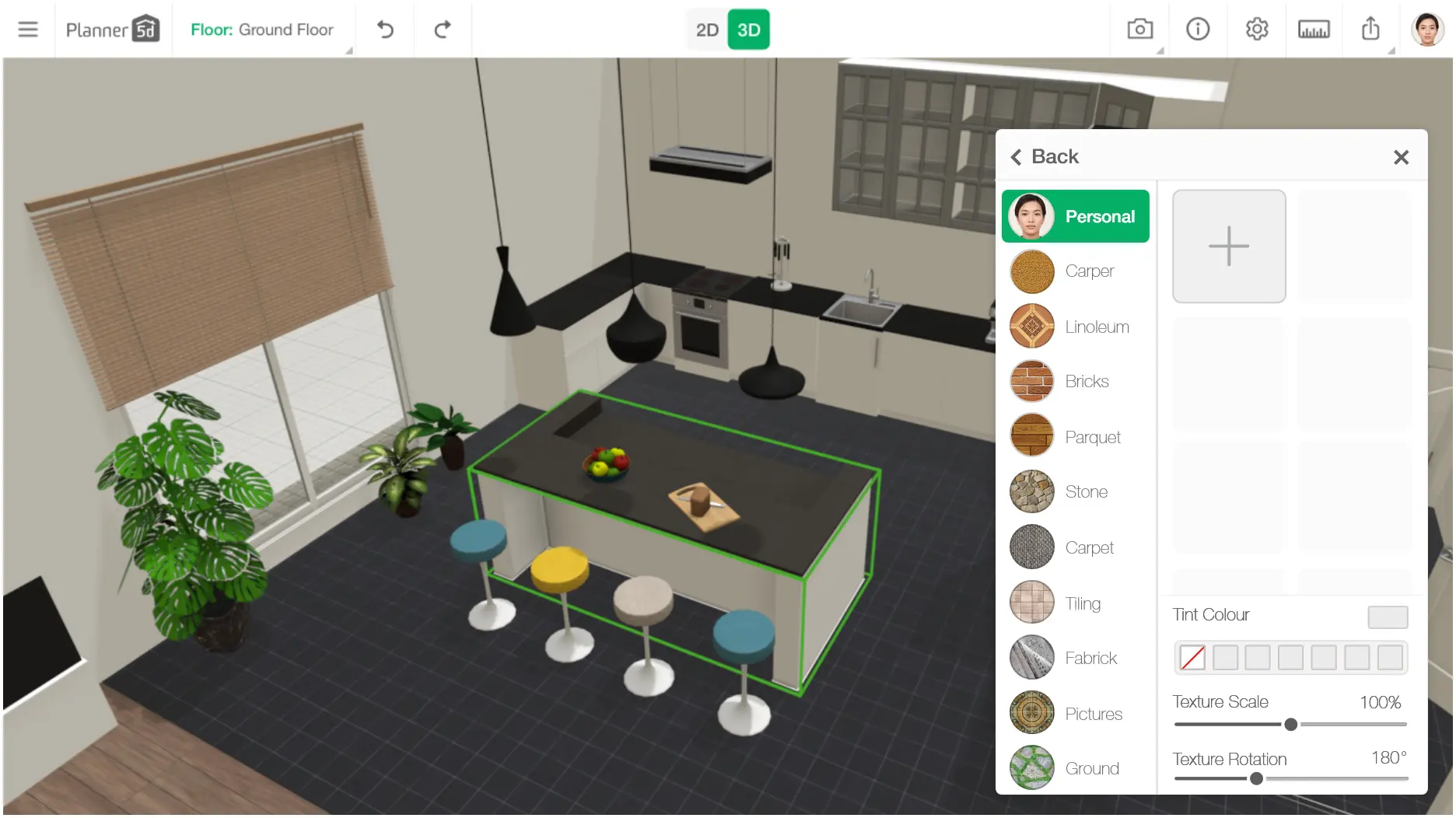
This does not replace architectural drawings when required. It supplements them.
Eliminating Scope Creep Before It Starts
Scope creep often begins with vague agreements.
A client thinks:
“The island feels smaller than I expected.”
“I didn’t realize the fridge would be that close.”
“I imagined more walking space.”
These concerns typically surface after materials are ordered.
By modeling layouts digitally using Planner 5D, you can test:
Island dimensions
Appliance spacing
Walkway clearance
Cabinet depth
Before contracts are signed.
This dramatically reduces post-approval surprises.
And fewer surprises mean fewer costly mid-project changes.
Accelerating Client Decision-Making
Many remodeling projects stall because clients struggle to choose between options.
Peninsula or island?
Open shelving or upper cabinets?
Walk-in shower or tub conversion?
Instead of debating hypotheticals, you can create side-by-side visual comparisons.
With intuitive drag-and-drop tools like Planner 5D, generating alternate versions is fast.
Faster comparisons lead to faster decisions.
Faster decisions keep your schedule intact.
Time is a contractor’s most valuable asset.
Increasing Perceived Professionalism
Clients judge competence based on presentation.
Detailed drawings and 3D previews elevate your perceived expertise.
Even if you are not an architect, showing immersive layouts positions you as strategic rather than reactive.
When your presentations look professional, pricing resistance decreases.
Professional visualization tools create psychological reassurance.
Reassured clients commit faster.
Improving Communication With Subcontractors
Visualization is not only for homeowners.
It also supports:
Electricians
Plumbers
Cabinet installers
Tile specialists
When everyone sees the same spatial model, alignment improves.
Using Planner 5D, contractors can export visual references that supplement technical documents.
This reduces interpretation errors and minimizes on-site confusion.
Practical Workflow for Contractors
To integrate visualization into your remodeling process:
Measure the existing space accurately
Build a simple 2D layout
Switch to 3D view for spatial review
Create one or two alternative configurations
Present visuals during consultation
Finalize layout before material ordering
This approach requires modest additional time upfront.
But it saves exponentially more time during construction.
Cost vs Benefit Consideration
Professional CAD software exists, but it often requires:
Advanced training
Long setup time
Significant subscription costs
For contractors who primarily need client-facing visualization rather than architectural drafting, accessible tools offer a better balance.
Planner 5D provides enough precision for layout planning while remaining intuitive enough to use during client consultations.
You do not need full engineering software for most residential remodeling conversations.
You need clarity.
The Competitive Advantage Few Contractors Use
Many contractors still rely on verbal explanations and static sketches.
Adopting visual layout tools creates differentiation.
Clients remember:
Who made them feel confident.
Who made the process easy to understand.
Who eliminated confusion early.
Clarity becomes your competitive edge.
In remodeling, trust determines referrals.
And trust is built through transparency.
Digital modeling does not just improve communication.
It reduces friction.
And in a business where time equals profit, that efficiency compounds quickly.