Home renovation is one of the most exciting and intimidating projects a homeowner can undertake. Whether it’s updating a kitchen, modernizing a bathroom, or reimagining an entire living space, renovations come with big decisions, financial commitments, and little room for error.
One of the most common renovation regrets isn’t about style or materials, it’s about not being able to fully visualize the outcome before work begins. This is where digital home design tools have transformed the renovation process. Platforms like Planner 5D allow homeowners to see, test, and refine renovation ideas long before contractors arrive.
In this article, we explore how digital visualization can help you plan smarter renovations, reduce risk, and make confident design decisions.
Why Renovation Projects Need Better Planning
Renovations differ from new builds in one crucial way: you’re working within existing constraints. Structural elements, plumbing, electrical systems, and room proportions all influence what’s possible.
Without proper planning, renovation projects often face:
- Budget overruns
- Design changes mid-project
- Layout inefficiencies
- Disappointment with final results
Digital design tools provide clarity at the earliest stages, helping homeowners anticipate challenges and avoid costly mistakes.
Start with Your Existing Space
The first step in renovation planning is understanding what you already have.
Measure and Recreate Your Home Digitally
Planner 5D allows users to recreate their current layout by inputting precise room dimensions, wall thicknesses, doors, windows, and ceiling heights. This digital replica becomes the foundation for all future changes.
Identify Constraints Early
Once your existing space is modeled, it becomes easier to see limitations:
- Narrow walkways
- Awkward corners
- Structural walls
- Limited natural light
Seeing these elements in 2D and 3D helps you plan realistically from the start.
Experiment with Layout Changes Safely

Many renovations aim to improve flow and functionality rather than expand square footage.
Test Before You Commit
With Planner 5D, you can experiment with:
- Removing or adding walls
- Opening up kitchens to living areas
- Reconfiguring room layouts
While structural changes should always be reviewed by professionals, visualizing them digitally helps you understand whether they truly improve the space.
Compare Multiple Scenarios
By saving different versions of your project, you can compare layouts side by side and choose the option that best suits your lifestyle.
Visualize Materials and Finishes
Choosing finishes is one of the most overwhelming aspects of renovation.
Avoid Costly Mismatches
Flooring, wall colors, cabinetry, and countertops often look different in isolation than they do together. Planner 5D allows you to test combinations instantly, reducing the risk of clashing materials.
See the Big Picture
Viewing your renovation in 3D provides a holistic perspective, helping you maintain visual consistency throughout the home.
Plan Furniture and Fixtures in Advance
Renovations shouldn’t focus only on construction, how you’ll live in the space matters just as much.
Design Around Daily Life
Planner 5D allows you to place:
- Kitchen cabinets and appliances
- Bathroom fixtures
- Built-in storage
- Furniture layouts
This ensures that new layouts support daily routines, storage needs, and comfort.
Check Clearances and Flow
Digital planning highlights issues such as tight walkways, cabinet doors colliding, or insufficient space between fixtures, problems that are expensive to fix after installation.
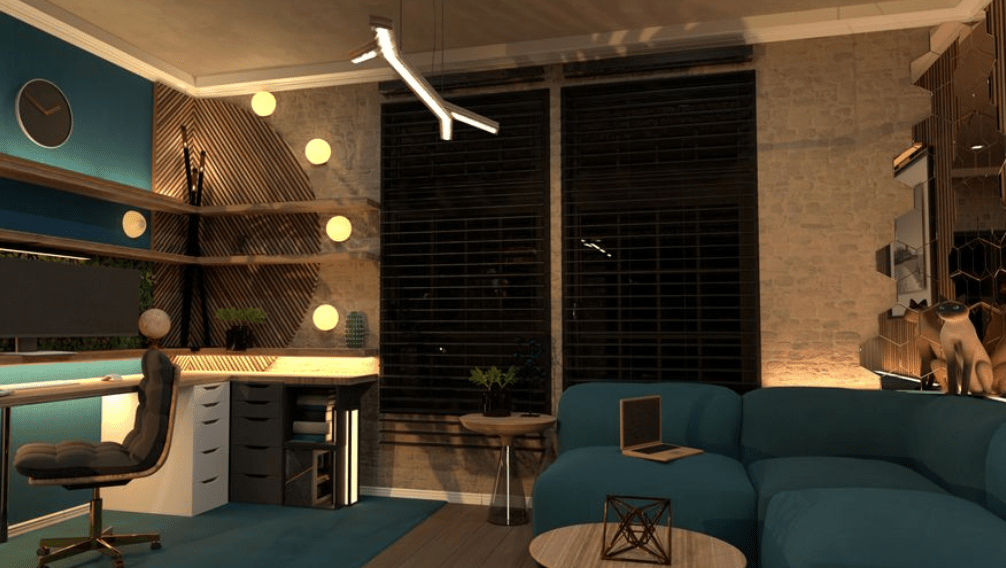
Lighting: The Most Overlooked Renovation Element

Lighting is often treated as a finishing detail, but it should be planned from the beginning.
Test Lighting Scenarios
Planner 5D lets you preview different lighting setups, helping you balance:
- Ambient lighting
- Task lighting
- Accent lighting
Switching between daytime and nighttime views ensures the space works around the clock.
Collaborate and Communicate More Clearly
One of the hidden benefits of digital renovation planning is communication.
Share Your Vision
Planner 5D projects can be shared with:
- Contractors
- Interior designers
- Family members
Clear visuals reduce misunderstandings and help everyone align on expectations.
Reduce On-Site Decisions
When key choices are made in advance, renovations run more smoothly and efficiently.
Budget Smarter with Visualization
While Planner 5D isn’t a budgeting tool, visualization plays a powerful role in financial planning.
Seeing the full scope of a renovation helps homeowners:
- Prioritize high-impact changes
- Identify unnecessary elements
- Avoid impulse upgrades
Better planning often leads to better budget control.
Renovate with Confidence, Not Guesswork
Renovations are too important and too expensive to rely on imagination alone. Digital design tools replace guesswork with clarity, allowing homeowners to explore ideas, identify problems, and refine solutions before work begins.
Planner 5D empowers users to approach renovations thoughtfully, making the process more predictable and less stressful.
Final Thoughts
A successful renovation starts long before demolition day. It begins with understanding your space, exploring possibilities, and making informed decisions.
With Planner 5D, homeowners gain the ability to visualize outcomes, test ideas, and communicate clearly, transforming renovation planning into a confident, creative process rather than a risky leap of faith.