Traveling or living abroad during the Super Bowl? Learn how fans avoid blackouts, geo-restrictions, and streaming issues while watching the game live anywhere.
The Super Bowl is one of the most watched live sporting events in the world. Every year, millions of fans plan watch parties, streaming setups, and travel schedules around game day. But for viewers outside the United States—or even within certain regions—the Super Bowl often comes with frustrating obstacles: blackouts, unavailable streams, delayed broadcasts, and unreliable access.
As global travel increases and more people rely on streaming instead of cable, one question appears every year in search trends: How can I watch the Super Bowl live while abroad?
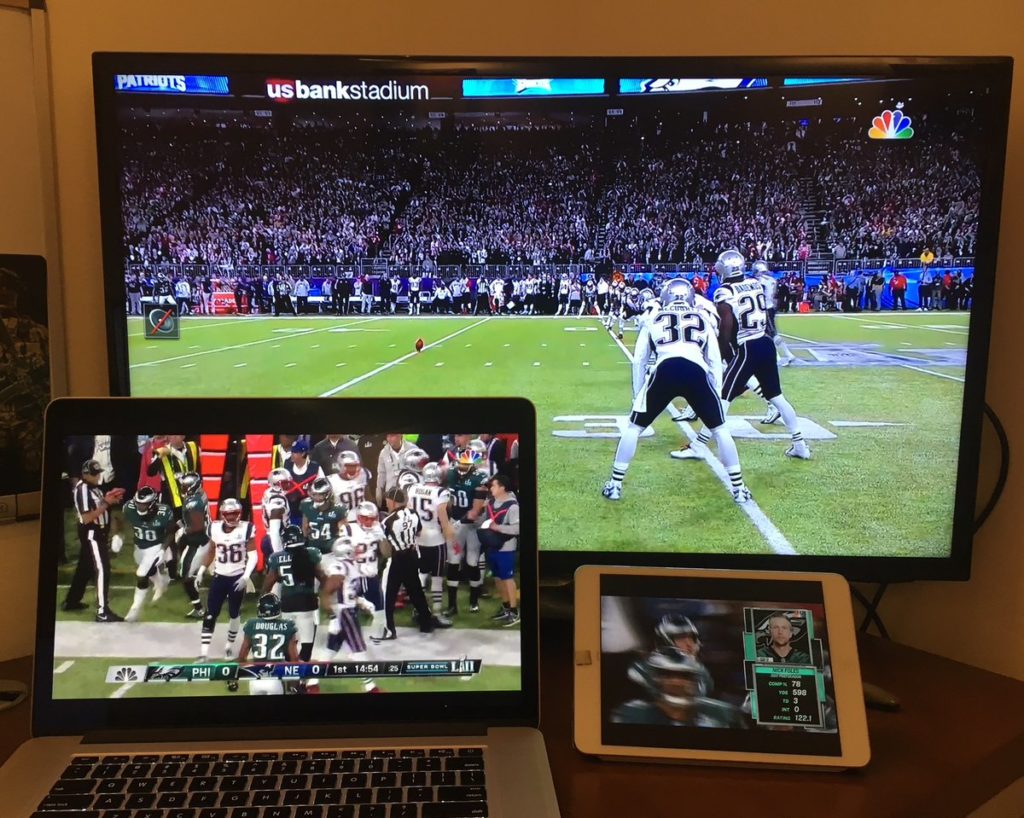
This guide breaks down why Super Bowl streaming fails for so many viewers, what actually causes blackouts and geo-blocks, and how fans reliably stream the game without interruptions—no matter where they are.
Why Streaming the Super Bowl Is So Difficult Outside the U.S.
The biggest misconception about online streaming is that the internet is borderless. In reality, streaming rights are heavily restricted by geography.
Broadcasters license Super Bowl coverage region by region, meaning:
- Some streams are U.S.-only
- Others are delayed internationally
- Certain platforms block access entirely based on location
When you travel—or live abroad—your IP address reveals your country, and streaming platforms automatically restrict access.
This is why:
- U.S. streaming apps stop working overseas
- International streams differ in quality or commentary
- Some viewers see “This content is not available in your region”
These issues spike sharply every February.
Understanding Super Bowl Blackouts and Geo-Restrictions
What Is a Super Bowl Blackout?
A blackout occurs when a broadcaster restricts access to a live game in certain locations. While traditional blackouts were tied to stadium attendance, modern blackouts are driven mostly by digital licensing rules.
Geo-Blocking Explained
Geo-blocking uses your IP address to determine your location. If you’re outside an approved region, access is denied—even if you legally pay for the service.
This is why:
- U.S. viewers abroad lose access
- International fans can’t access U.S. streams
- Travelers suddenly lose their usual subscriptions
The restriction isn’t about your account—it’s about where you appear to be online.
Why Streaming the Super Bowl on Public Wi-Fi Makes Things Worse
Many people try to stream the Super Bowl from:
- Airports
- Hotels
- Cafés
- Shared accommodations
These networks often:
- Throttle streaming traffic
- Block sports platforms
- Expose users to data interception
Live sports require stable, fast, and secure connections. Public Wi-Fi does the opposite, increasing buffering and security risks at the worst possible moment—during a live event.
How VPNs Actually Help With Super Bowl Streaming
A VPN works by encrypting your connection and routing it through a server in another location. For streaming, this solves two major problems at once:
- It changes your apparent location
- It secures your connection on public networks
This is why VPN search interest spikes dramatically before the Super Bowl every year.
However, not all VPNs work well for live sports.
What Makes a VPN Suitable for Streaming Live Sports
Streaming the Super Bowl isn’t the same as casual browsing. It requires:
- High-speed servers
- Low latency
- Stable long-duration connections
- Consistent access to streaming platforms
Many VPNs fail here, causing:
- Lag
- Buffering
- Stream drops
- App detection and blocks
This is where premium, streaming-optimized VPNs stand out.
Why Many Fans Choose Surfshark for Live Sports Streaming
Surfshark is frequently used by sports fans because it’s built to handle high-bandwidth, real-time streaming, not just basic browsing.
Key reasons it performs well during events like the Super Bowl include:
Fast, Streaming-Optimized Servers
Speed is critical during live games. Surfshark maintains a global server network optimized for performance, reducing buffering and delays.
Unlimited Device Connections
Fans often stream on multiple devices—TVs, tablets, phones, laptops. Surfshark allows unlimited devices under one account, which is rare in the VPN market.
Strong Encryption Without Speed Sacrifice
Security doesn’t come at the cost of performance, which matters when streaming on public or shared networks.
Watching the Super Bowl While Traveling Internationally
Travel is one of the biggest drivers of Super Bowl VPN searches. Viewers commonly face issues when traveling to:
- Europe
- Asia
- South America
- The Middle East
Even short trips can disrupt access to home streaming services.
With a VPN, travelers can:
- Access their usual platforms
- Avoid regional restrictions
- Maintain consistent stream quality
This makes the viewing experience far closer to watching from home.
Avoiding Common Super Bowl Streaming Mistakes
Many viewers wait until game day to troubleshoot—and that’s when problems happen.
Common mistakes include:
- Using free VPNs that collapse under load
- Connecting to overcrowded servers
- Testing setups too late
- Relying on unstable hotel Wi-Fi
Advanced preparation makes a significant difference.
Why Free VPNs Often Fail During Live Sports
Free VPNs are popular before major events—but they’re also the most unreliable.
They often suffer from:
- Severe speed limits
- Data caps
- Overloaded servers
- Streaming platform blocks
During the Super Bowl, when millions stream simultaneously, free services simply can’t keep up.
This is why users searching for “free VPN for Super Bowl” often end up upgrading mid-event.
How to Prepare Your Streaming Setup Before Game Day
To avoid last-minute frustration:
- Test your streaming platform early
- Choose a nearby, fast server
- Avoid peak-time server switching
- Use wired or strong Wi-Fi connections
Preparation is the difference between smooth streaming and constant buffering.
Final Tips for a Smooth Super Bowl Streaming Experience
As live sports move increasingly toward streaming, preparation becomes just as important as the platform you choose. The Super Bowl is unforgiving when it comes to delays—once kickoff starts, there’s no replaying the live experience.
To ensure everything runs smoothly:
- Avoid last-minute setup changes
- Stick to stable servers once connected
- Close unnecessary background apps
- Start streaming early to confirm quality
These small steps dramatically reduce the chances of buffering, lag, or sudden disconnections during the game.
Why Planning Ahead Matters for Major Live Events
Unlike on-demand content, live sports traffic surges all at once. Millions of viewers connect simultaneously, which stresses networks, servers, and streaming platforms.
This is why solutions that work perfectly on an average day can fail during events like the Super Bowl. Viewers who plan ahead—testing connections, securing access, and stabilizing their setup—consistently report a smoother experience.
The difference isn’t luck. It’s preparation.
The Bigger Picture: Streaming Freedom Beyond the Super Bowl
While the Super Bowl is a major trigger for VPN usage, the same challenges apply year-round:
- Traveling internationally
- Living abroad
- Using public or shared networks
- Accessing home streaming services
Once users solve these issues for one event, they often keep the solution long-term. Streaming freedom, online privacy, and connection security quickly become everyday expectations rather than occasional needs.
FAQs
Can I watch the Super Bowl abroad legally?
Broadcast rules vary by country. VPNs are legal in most regions, but users should always comply with local laws and service terms.
Why does my streaming app stop working when I travel?
Because it detects your location and restricts access outside licensed regions.
Will a VPN slow down my Super Bowl stream?
High-quality VPNs are optimized to minimize speed loss.
Do I need a VPN if I already pay for streaming services?
If you travel or face geo-restrictions, yes—payment alone doesn’t override location rules.
Can I stream on multiple devices at once?
Yes, depending on your VPN and streaming service limits.
Should I set up everything before game day?
Absolutely. Early testing prevents last-minute issues.
Final Thoughts
The Super Bowl is one of the few events where viewers truly feel the impact of geo-restrictions, blackouts, and unstable connections. For fans outside the U.S. or on the move, these limitations can turn excitement into frustration.
Understanding why streaming fails—and addressing those causes ahead of time—allows viewers to focus on the game itself. With the right preparation, location no longer has to dictate access, quality, or peace of mind.